Originating Account Number
Docs
>
Payments
>
Guide to Testing in Staging
>
Originating Account Number
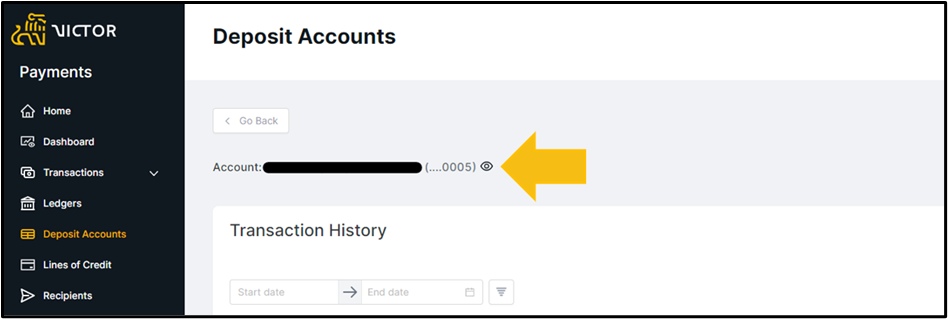
To obtain your originating account number, login to the Payments Orchestrator UI and select Deposit Accounts from the left-hand ribbon. There you may select your account and click the eye symbol to reveal the account number.
This information is also available in the getAccounts API (https://jackhenry.dev/payments-orchestrator/reference/accounts/#/Accounts/getAccounts).
A Deposit account is provided as standard with each Payments Orchestrator Staging account.
Did this page help you?
Last updated Mon Jun 29 2026