User Roles
Docs
>
Payments
>
User Roles
To configure Roles once logged in to the Payments Orchestrator UI, navigate to User List in the top right hand corner. There, select New User.\
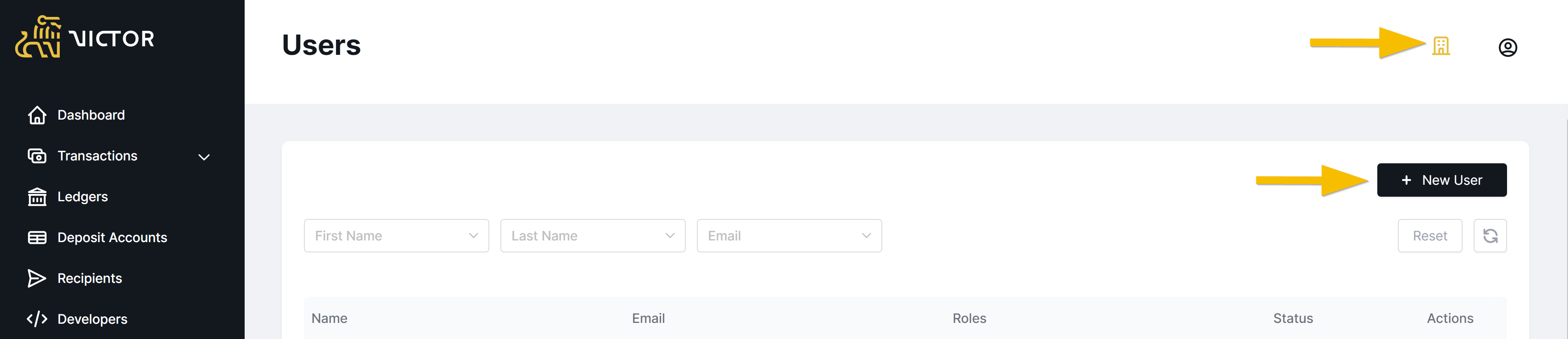
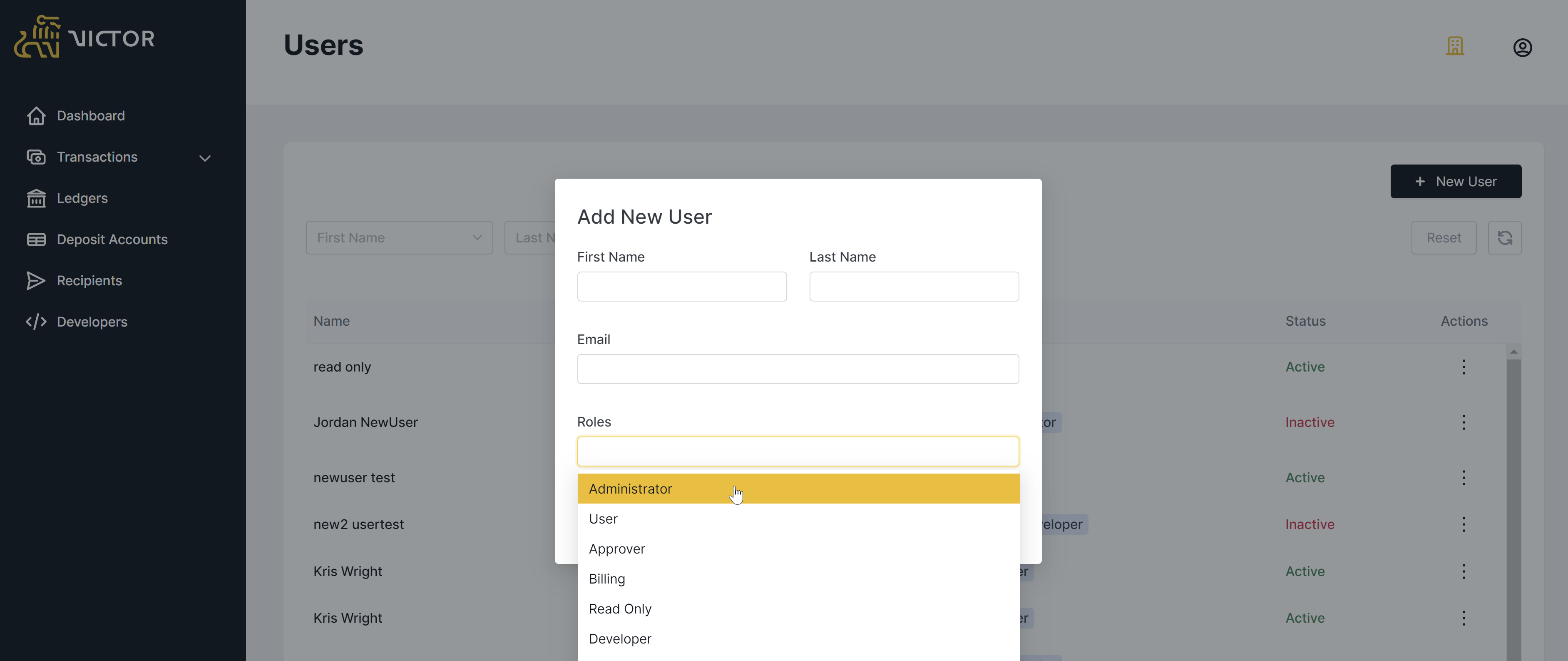
From the 'Add New User' pane you will be able to add the new user(s). Once added, each user will receive a welcome email from support.jhorchestrator@jackhenry.com requesting they follow a registration link and set a password.
💡 Info
If you are having difficulty gaining access to Payments Orchestrator’s Staging, or Production Environment please contact support.jhorchestrator@jackhenry.com or your Payments Orchestrator representative.
All of the actions that may be carried out by a User Role are outlined in the below table.
| Permission | Admin | Approver | Client Org Admin | User | Billing | Read Only | Developer | Vantage Applicant | Vantage Application Read-Only |
|---|---|---|---|---|---|---|---|---|---|
| Create new users of any level | X | X | |||||||
| Edit users | X | X | |||||||
| Deactivate users | X | X | |||||||
| Create/Delete API key | X | X | X | ||||||
| Create new counterparty (beneficiary) | X | X | X | ||||||
| View transaction dashboard | X | X | X | X | X | X | |||
| Approve new counterparty (beneficiary) | X | X | |||||||
| Delete counterparty (beneficiary) | X | X | X | ||||||
| Create new payment | X | X | X | ||||||
| Approve outbound transactions | X | X | |||||||
| View transactions | X | X | X | X | X | X | |||
| View deposit accounts and virtual accounts | X | X | X | X | |||||
| Cancel pending transactions | X | X | X | ||||||
| Download transaction history | X | X | X | X | X | X | |||
| Configure Account Sweeping | X | ||||||||
| Create applications in UI (Vantage) | X | X | |||||||
| Create applications in UI (Vantage) | X |
Did this page help you?
Last updated Mon Jun 29 2026